
Service area

Internet and site connectivity

We provide internet and data connectivity for offices, plants, mines, quarries and remote camps, extending the connection to workstations and equipment.

How the solution works
Wi-Fi router with antennas
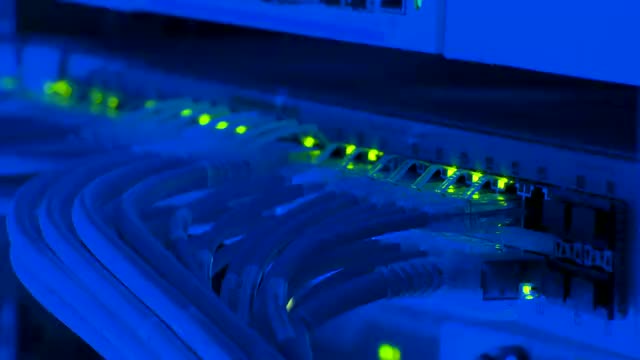
Ethernet network switch
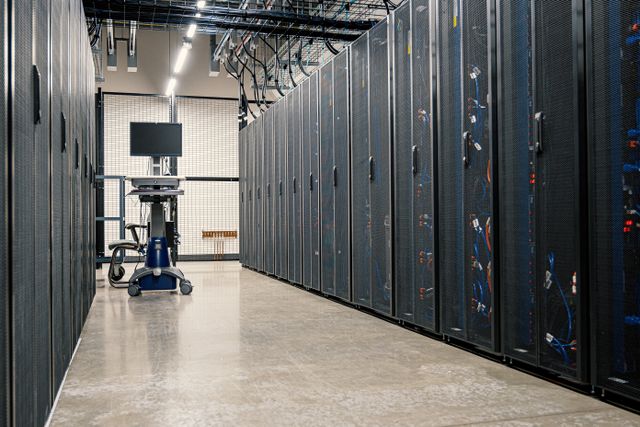
Network racks in a server room

Select a stage to explore the work

Wi-Fi router with antennas — dlxmedia.hu · Unsplash Ethernet network switch — Dima Krivoy · Pexels Network racks in a server room — Brett Sayles · Pexels

Access link. Check available connection methods at the location.

Router. Configure access, failover and network policies.

Workstations. Connect office users, equipment and Wi-Fi.

Validation. Test business applications and backup switching.

Service directions 12 ↗
How we approach the work

What this service covers

After checking the location and site, we assess fibre, radio, mobile or satellite access. Speed, redundancy and equipment are selected for the site requirements and available services.

Primary and backup internet

We check address availability and workloads such as cloud tools, video calls, tills or telemetry. We select the service and equipment. Backup design considers link independence and is tested by disconnecting the primary connection.

Radio links and remote sites

We survey mounting points, obstacles and radio line of sight, then agree mounting, power and equipment protection. Remote access options are compared against actual availability; final parameters follow the survey and provider checks.

Structured cabling, LAN and Wi-Fi

We configure internal routing, wired connections and Wi-Fi. Guest devices are separated from business systems, with agreed access rules and application priorities. Connectivity is checked at actual workstations.

Telephony and inter-site networks

We connect sites through secure links with controlled access to shared resources. IP telephony and extensions are configured within the chosen system. External numbers and services are arranged with the relevant carrier.

Illustrative scenario · not a completed project

How this could work at your site

An office uses CRM, calls and video meetings. The primary connection feeds a router with a separate backup where required. Business and guest networks are separated. Handover includes application and failover tests; any interruption depends on the selected design.

Discuss a project ↗
  1. Access link

    Check available connection methods at the location.

  2. Router

    Configure access, failover and network policies.

  3. Workstations

    Connect office users, equipment and Wi-Fi.

  4. Validation

    Test business applications and backup switching.

What you receive

Deliverables and handover

  • Configured internet access at agreed locations.
  • Network diagram, access policies and backup settings.
  • Clear instructions for the responsible staff member.
Construction licences and certificates ↗

Scope, equipment, schedule and price are agreed after reviewing your requirements and surveying the site where needed. This example illustrates the approach; the final design is tailored to your site.

ТОО «СМУ БАСТАУ»

Need this service?

Tell us about the site and the task so we can discuss the right scope.

Call Message on WhatsApp
Message on WhatsApp